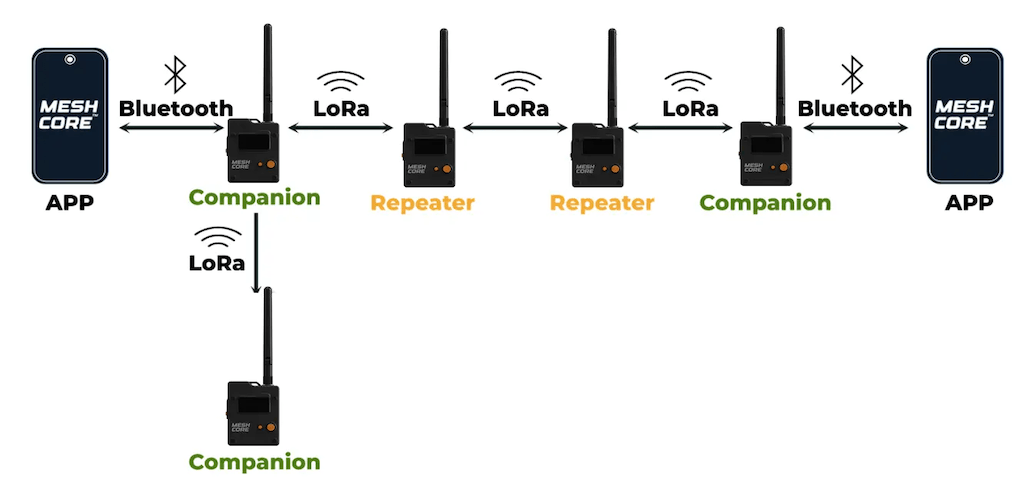
MeshCore Companion Repeat Mode: Extending Range with the Wio Tracker L1 Pro
When a group, such as hikers, spreads out beyond direct radio range, a device positioned between the endpoints can act as a temporary relay to maintain communication. This article explains how to enable Companion Repeat Mode on a Wio Tracker L1 Pro, verify its functionality, and apply insights from a three-device field test to plan a temporary deployment.
How Companion Repeat Mode Helps
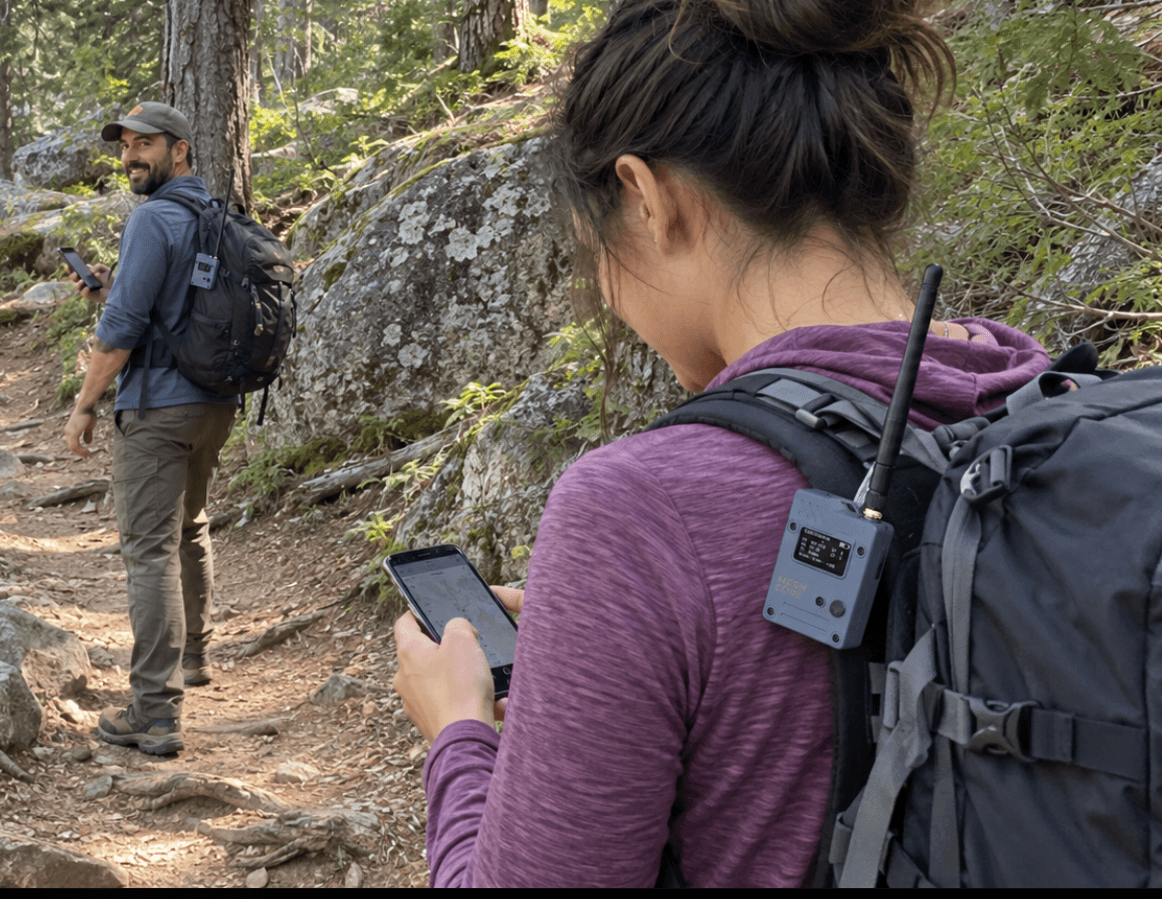
Normally, MeshCore Companion devices are not configured to forward packets. However, for specific off-grid situations, Companion Repeat Mode allows a device to temporarily assume the role of a relay (repeater). To test this functionality in practice, three Wio Tracker L1 Pro units were deployed in a field test. The Wio Tracker L1 Pro is a compact device combining a 2,000 mAh battery, an OLED display, an antenna, and a protective enclosure, making it ideal for such field scenarios. It can be carried in a pocket or attached to a backpack. The integrated display is useful for checking device status, while the battery ensures operation for several hours. More details can be found in the Wio Tracker L1 Series overview.
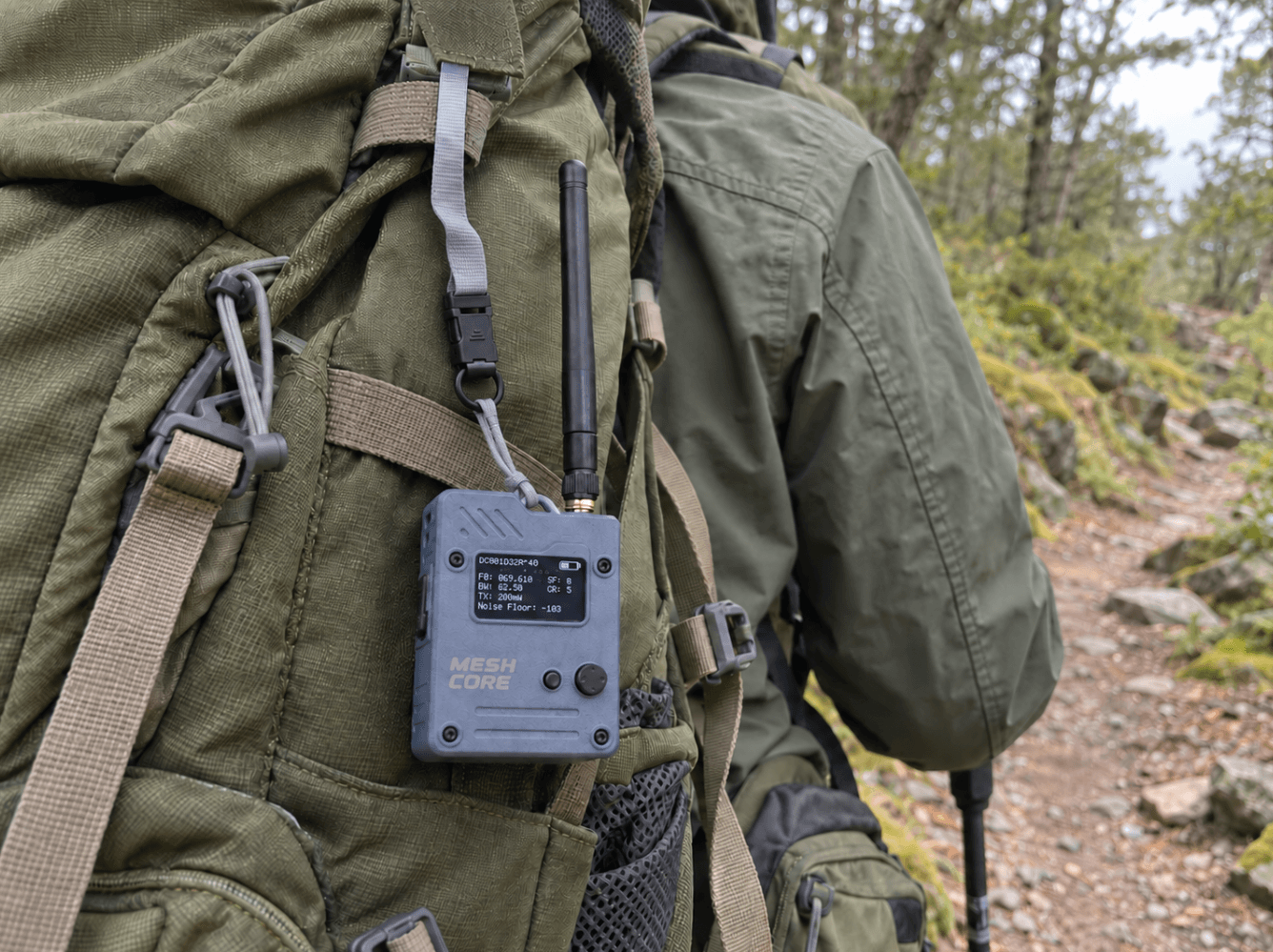
Enabling Companion Repeat Mode
To enable Repeat Mode on a device (device B) intended to act as a relay between two endpoints (device A and C), follow these steps:
- All participating devices must be set to the same supported off-grid radio settings. This is crucial for seamless communication within the MeshCore network.
- Connect the MeshCore app to device B and open its radio settings.
- Enable Repeat Mode.
- Save the setting and leave device B powered on between A and C.
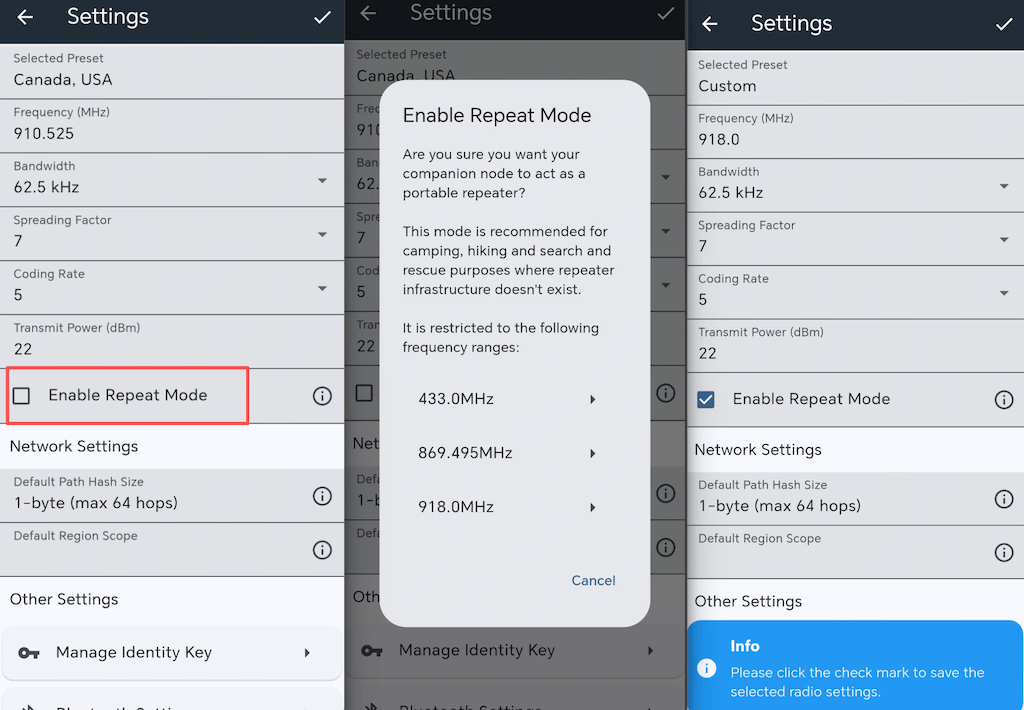
If the app warns that the selected frequency does not support Repeat Mode, choose another supported off-grid setting that is permitted for your location. MeshCore restricts Companion Repeat Mode to specific off-grid configurations to help prevent portable clients from adding unnecessary forwarding traffic to a public mesh. In the test, device B continued to run Companion firmware; Repeat Mode was enabled through the app without re-flashing it as a dedicated repeater. After saving the setting, the device handled forwarding autonomously.
What We Observed in the Field
The field test investigated the impact of phone connection and relay placement on message delivery. All three devices ran the same Companion firmware version and used the radio settings described above. Before testing, they exchanged adverts and were added as contacts. An off-grid setting supported by both the app and firmware was chosen, and the selected frequency was confirmed as appropriate for the test location.
The straight-line distances were approximately 4 km from A to B and 4 km from B to C. In Tests 1–3, device B remained at the same location, surrounded by trees.
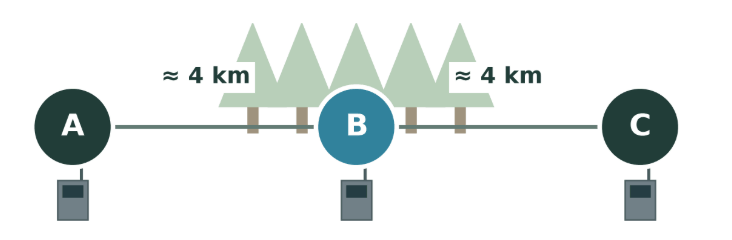
For Test 4, A and C remained in place while B moved roughly perpendicular to the A–C line to a higher, more open location. The A–B and B–C distances remained approximately unchanged.
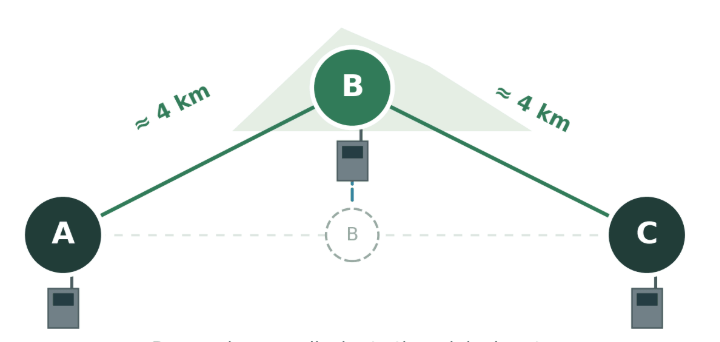
Ten short messages were sent from A to C in each round. The results showed that device B continued forwarding messages even after its phone was disconnected. Moving B to a higher, more open location increased delivery from 4/10 to 8/10, despite approximately unchanged distances. This test clearly demonstrated that improving the relay’s position can substantially enhance communication reliability.
Practical Tips for a Temporary Deployment
The field results highlight the critical importance of relay placement. Before using this setup on a trip, consider the following points:
- Agree on the radio setting before losing coverage. Every node in the group needs to use matching settings. Choose a supported off-grid configuration that is legal in your region, and test it before the trip.
- Place the relay where it can hear both sides. A device inside a backpack may be shielded by the wearer or surrounding materials. Try clipping B outside the pack, keeping its antenna upright, or placing it higher and stationary. Test changes one at a time to determine which placement helped.
- Track battery usage. The L1 Pro has an integrated 2,000 mAh battery, but actual runtime depends on usage and conditions. Note the battery level before and after each test, and bring a power bank for longer outings. Do not assume that a companion device will match the endurance of a dedicated, power-optimized repeater.
When to Use a Dedicated Repeater
Companion Repeat Mode is useful when a hiking group, field team, or temporary outdoor event needs a quick relay and no fixed repeater is available. It can also help teams map coverage before deciding where dedicated repeaters should be installed.
However, it is not a replacement for a well-positioned, continuously powered repeater. A portable node can move, lose battery, or leave the area where other users need it. For a fixed coverage area or a long-term public mesh, use infrastructure specifically designed for that role. The L1 Pro can stay in your pocket as a Companion during normal use—and become a temporary relay when the group moves beyond existing MeshCore coverage.